To write this guide, I ran the full upgrade on a deliberately simple demo site. Drupal 10.6, four common modules and a small custom module written for Drupal 9 and 10. The four modules are Pathauto, Token, Metatag and Admin Toolbar. The commands and messages below come from that run, including the two blockers I hit. A real site usually has far more modules, more custom code and years of content, and that is where most of the work lies.
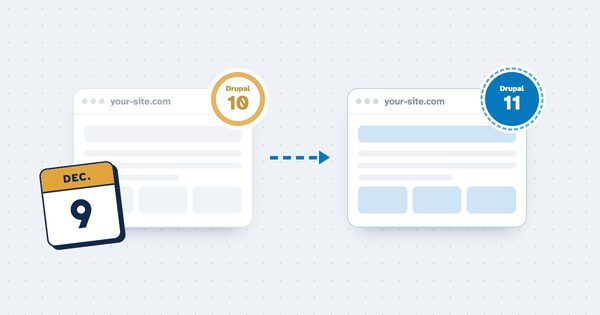
Responsible for the site but not a developer? The guide What Drupal 10's end of life on December 9, 2026 means for your site covers timelines, pricing and what to ask your vendor. This one is for the person doing the upgrade.
What do you need before you start?
| Item | Minimum for Drupal 11 |
|---|---|
| Drupal 10 | 10.3, in practice the latest 10.6 release |
| PHP | 8.3 minimum, 8.4 recommended |
| Database | MySQL 8.0, MariaDB 10.6, PostgreSQL 16 or SQLite 3.45 |
| Drush | 13 |
| Composer | 2 |
Never work directly on production. Start from a copy of the site, locally or on staging, in a dedicated Git branch. Before touching anything, the site configuration and the configuration in the repository must match. Otherwise, the configuration export in step 3 would mix settings changed on production with those of the upgrade.
git checkout -b upgrade/drupal-11Creates a branch dedicated to the upgrade.
drush cstCompares the site configuration with the repository. The list must be empty, otherwise export and commit first.
drush sql:dump --gzip --result-file=../avant-drupal-11.sqlBacks up the database before you start.
The commands in this guide run from the project root, where the composer.json file is. If the site runs in DDEV or Lando, prefix them with ddev or lando, for example ddev drush updb.
What changes between Drupal 10 and Drupal 11?
For site users, almost nothing. Content, accounts, URLs and the theme stay in place. The changes are technical.
- PHP 8.3 at least. It is often the first thing to sort out with the host, along with the database version.
- Newer libraries. Drupal 11 relies on Symfony 7 and jQuery 4. A module or theme that uses removed jQuery functions, such as
$.trimor$.isArray, must be updated. - Old code is removed. Functions deprecated during Drupal 10 no longer exist in Drupal 11. A module that calls them throws an error.
- Six modules leave core. Actions UI, Activity Tracker, Book, Forum, Statistics and Tour no longer ship with Drupal 11. They exist as contributed modules. If the site uses one, install its contributed version before the upgrade, without uninstalling it, or its configuration is lost. Other modules became obsolete because their feature moved into core, such as Help Topics. Upgrade Status flags them.
- Two modules on their way out. Contact and History are deprecated since Drupal 11.4 and will be removed in Drupal 12. The status report flags them. It does not block Drupal 11, but plan for it.
Step 0, move PHP to 8.3 first
Drupal 10.6 already runs on PHP 8.3. So I make this change first, on the site still running Drupal 10. I ship it as a separate release. If something breaks, you know it comes from PHP and not from Drupal 11.
A common trap hides in composer.json. Many projects pin a PHP version there, for example "platform": {"php": "8.1"}. Composer then refuses Drupal 11, even if the server already runs 8.3. Update that line at the same time as the server.
composer config platform.php 8.3Tells Composer the server's PHP version, if the project pins it in composer.json.
Step 1, audit the site
The reference tool is the Upgrade Status module. It scans each module and tells you what blocks the move to Drupal 11. It is a development tool only and should not go to production.
composer require --dev drupal/upgrade_statusAdds Upgrade Status, as a development tool only.
drush en upgrade_status -yEnables the module on the site.
drush us-a --allScans the code of every module and lists what blocks Drupal 11.
The command only scans code. The /admin/reports/upgrade-status page also checks the environment, the PHP version, the database, modules removed from core and obsolete modules. Look at both.
On the demo, the scan found three issues in the custom module. Two functions removed in Drupal 11, user_role_names() and format_size(). Then the module's compatibility line, which stopped at Drupal 10.
One trap when reading the report. It also shows many "Call to an undefined method" messages in the tests folders of contributed modules. On the demo, Admin Toolbar and Chaos Tools filled pages with them. These messages come from missing test tools, PHPUnit in particular, which the scan cannot find. They have no effect on the site. The --ignore-contrib option scans custom code only.
Step 2, make the code compatible
This step happens on the site still running Drupal 10.6. The new functions already exist in Drupal 10, so the fixed code runs on both versions.
For custom code, Drupal Rector fixes part of the removed calls automatically.
composer require --dev palantirnet/drupal-rectorAdds Drupal Rector, as a development tool only.
cp vendor/palantirnet/drupal-rector/rector.php .Copies its configuration to the project root.
vendor/bin/rector process web/modules/custom --dry-runShows the planned fixes for custom code, without changing anything.
You copy rector.php once. It is the configuration that gives Rector the Drupal-specific rules, and you set the target Drupal and PHP versions there. The web/modules/custom path is the one of a standard Drupal project installed with Composer. Adjust it if the custom code lives elsewhere, for example in docroot/modules/custom.
The --dry-run option shows the changes without writing them. Review them, then run again without it. Rector does not always follow Drupal coding standards. On the demo, it placed the use statements before the file's docblock. A pass of PHP CodeSniffer with the Drupal rules puts the code back in order.
Rector does not do everything. On the demo, it replaced format_size() with ByteSizeMarkup::create(), but it left user_role_names() alone. I rewrote that one by hand, loading the roles with Role::loadMultiple(). The core_version_requirement line of the .info.yml file is also fixed by hand, for example ^10.3 || ^11. Then run Upgrade Status again until it reads "No known issues found".
For contributed modules, the order to follow is simple.
- Look for a compatible release. Most common modules have one. On the demo, Pathauto, Token, Metatag and Admin Toolbar were already ready.
- Apply a patch. If the Drupal 11 release is not out yet, the module's issue queue often has a ready patch. Apply it with Composer Patches, keeping the patch file in the repository rather than pointing to a merge request that can still change. Composer may still refuse to install the module until its official release declares Drupal 11. The
mglaman/composer-drupal-lenientplugin lifts that block for the modules listed inextra.drupal-lenient.allowed-list. Keep it for a patched and tested module, until its official release comes out. - Replace the module. An abandoned module is replaced by a maintained equivalent, or its feature is rewritten in a custom module.
For the theme, compare overridden templates with their new version in core and check the JavaScript that uses jQuery.
Step 3, move core to Drupal 11
This is the shortest step, as long as you avoid two blockers I hit on the demo.
composer config allow-plugins.symfony/runtime trueAllows the Composer plugin that Drupal 11.4 adds.
chmod u+w web/sites/defaultLets Composer rewrite the default files of the sites folder.
composer require \
  'drupal/core-recommended:^11' \
  'drupal/core-composer-scaffold:^11' \
  'drupal/core-project-message:^11' \
  'drush/drush:^13' \
  --update-with-all-dependencies --dry-run
Simulates the move of core to Drupal 11, without installing anything.
If the project has drupal/core-dev in its development dependencies, it also blocks the resolution. Move it to 11 before the test, with composer require --dev 'drupal/core-dev:^11' --no-update. If something blocks for no clear reason, composer why-not drupal/core 11 names the package responsible.
First blocker, Drush left out. My first command only listed the Drupal packages. Composer refused with a conflict on symfony/console. The --update-with-all-dependencies option only updates the dependencies of the packages listed in the command. Drush was not listed, so its own dependencies stayed locked, including its code generator, which required Symfony 6. Adding drush/drush:^13 to the command made the dry run pass.
Second blocker, the symfony/runtime plugin. Drupal 11.4 adds this Composer plugin, which the old composer.json does not allow. Without the first line, Composer stops halfway through the install. The vendor folder is left half updated and the site crashes with "Class "Doctrine\Deprecations\Deprecation" not found". The composer config command above prevents it.
Also watch the files Composer rewrites. The .htaccess, the robots.txt and the default files of the sites folder are replaced by the Drupal 11 version. A customized .htaccess, with redirects or headers, is overwritten without warning. Compare before committing. Going forward, declare these files in the drupal-scaffold section of composer.json.
Once the dry run is clean, run the same command again without --dry-run, then update the database and the configuration.
drush updbstLists the database updates about to be applied.
drush updb -yApplies the database updates.
drush crClears the caches.
drush cex -yExports the configuration changed by the updates.
git diffReviews the changes, especially in the configuration.
The updates change many configuration files. Review the diff, then commit composer.json, composer.lock and the configuration folder in the branch. Then open a merge request for review.
On the demo, drush updb applied 45 database updates and the site went from Drupal 10.6.20 to Drupal 11.4.11.
Step 4, test on staging
First the technical checks.
- The status report, at
/admin/reports/status. On the demo, no errors. Only the warning about Contact and History seen above. - The error log, with
drush ws --severity=Error. Errors dated from the time of the update may be old, the new ones are what matter. - Automated tests, if there are any. Move CI to PHP 8.3 and PHPUnit 10 or 11, then run the tests again.
Then the check that really counts. I deploy the branch to staging on a recent copy of the production database. I run the same commands there. I test the site's main features by hand, then the client does their acceptance testing on that staging site. Here is what I check at a minimum.
- Forms and the emails they send.
- Search, including Search API or Solr if there is one.
- Login, including single sign-on if the site has it.
- Scheduled tasks and imports.
- The JavaScript of the theme and modules that use jQuery.
- Translations if the site is multilingual.
- Accessibility of the components that changed.
- What is specific to the site, a store, a members area, a payment.
The staging database never goes to production. It is for testing. On production, the updates run again on the real database at go-live.
Step 5, go live
Go live on a quiet day, with exactly the code approved on staging.
drush mset 1Puts the site in maintenance mode.
drush sql:dump --gzip --result-file=../prod-avant-drupal-11.sqlBacks up the production database right before.
composer install --no-devInstalls exactly the tested versions, those of composer.lock, without the development tools.
drush deploy -yApplies the database updates, imports the configuration and clears the caches, in the right order.
drush mset 0Takes the site out of maintenance mode.
Never run composer update on production. Only the composer.lock approved on staging counts. The code is deployed the usual way for the project, with Git or the deployment tool, before composer install.
Then check the main pages and the error log, and keep an eye on the site for a few days.
What if it goes wrong?
Database updates cannot be undone. Rolling back means restoring the code and the database together. The previous code, for example the Git tag of the Drupal 10 release. The database, from the backup taken right before go-live.
- Decide fast. Set a deadline in advance, for example one hour after go-live, past which you fix forward rather than roll back.
- Think about content. Anything entered after go-live would be lost in a rollback. A short content freeze during the switch avoids that risk.
- Test the restore. A backup you have never restored is not a plan. I restore it once on staging to know how long it takes.
Once the site is approved on production, remove Upgrade Status and Drupal Rector from the project.
How long does it take?
Even on this demo site, the upgrade itself takes a few hours of work, blockers and checks included. A real site takes much longer. It has years of content, features specific to the organization, more modules and more custom code. Each of these has to be checked, fixed if needed, then approved in acceptance testing.
Timelines by site size are in the guide What Drupal 10's end of life on December 9, 2026 means for your site. They get longer if the site is not on Drupal 10.3 yet, if the host must move to PHP 8.3 or if a module has no Drupal 11 release.
When should you get help?
The commands in this guide are the easy part. The upgrade becomes a real project in these cases.
- A lot of custom code. Modules written for the site, sometimes years ago, that have to be reviewed and fixed one by one.
- A module with no Drupal 11 release. You then have to choose between a patch, a replacement or a rewrite, and measure the impact on the site.
- No staging site. Without a copy of the site to test on, every bug shows up on production.
- Nobody to test. Someone has to check that every feature of the site still works before go-live.
If your site is in one of these cases, I can handle the upgrade from start to finish.
For web agencies, I work white-label. I work in your repository and follow your conventions, I deliver merge requests reviewed by your team and I never contact your client without your approval. I sign your NDA and hand over a technical report at the end.
Hand over my upgrade Are you an agency?
Sources. Upgrading from Drupal 10 to Drupal 11, PHP requirements, database requirements.